How do you add custom indicators to MT4 on Android?
Updated 2026-06-09
You cannot install custom indicators in the MT4 Android or iPhone apps: the mobile apps have no MQL4 runtime and ship only the fixed built-in set of roughly 30 indicators. The fix that works is running the custom indicator on desktop MT4 and pushing its alerts to your phone through your free MetaQuotes ID.
Can you install custom indicators on MT4 for Android? No — here is why
No. The MetaTrader 4 app for Android cannot load custom indicators, full stop. It has no MQL4 runtime — the engine that executes indicator code simply is not in the mobile app — so there is nothing for a .mq4 or .ex4 file to run on. There is also no data folder to copy files into: connect your phone by USB and dig as long as you like, you will not find an MQL4/Indicators directory the app reads, because the app never reads one.
What the Android app does give you is the standard built-in set — roughly 30 indicators, moving averages, RSI, MACD, Bollinger Bands and the rest — plus basic drawing objects. That set is fixed. There is no marketplace, no import button, no hidden menu.
This is worth saying plainly because the search results for this question mostly dodge it. Pages titled "add custom indicators to MT4 Android" tend to walk you through installing on a Windows desktop and hope you do not notice the switch, or worse, point you at modified APKs that claim to unlock the feature. Treat those as malware until proven otherwise: the feature is missing at the engine level, and nothing a third party bolts onto the app can add an MQL4 runtime that is not there.
The same limitation applies to the MT4 web terminal and, covered below, the iPhone app. So the real question is not "how do I get the file onto my phone" but "how do I get the benefit of a custom indicator while I am away from the desk". There are two honest answers: push alerts, and remote desktop.
What actually works: desktop MT4 runs the indicator, your phone gets the alert
The fix is a division of labour: the custom indicator runs on a desktop terminal, and the phone receives the result. MetaTrader 4 has a built-in push channel for exactly this — it is free, and it is the one thing the mobile apps do really well.
- Install the indicator on desktop MT4. A Windows PC, a Mac running a wrapped terminal, or a VPS — the standard desktop install steps apply.
- Copy your MetaQuotes ID from the phone. Open the mobile app's Settings and look for Messages; the ID is shown there. The exact menu wording has moved around between app versions, but on both Android and iPhone it lives under Settings.
- Link desktop to phone. In desktop MT4 go to Tools then Options then Notifications, tick Enable Push Notifications, paste the ID (it accepts up to four, comma-separated), and press Test. The test message should hit your phone within seconds.
- Run an indicator that actually pushes. An indicator only reaches your phone if its code calls
SendNotification— plenty never do, so check before relying on one.
For level watching, Price Alert Panel is built for this: drag its above, below and exactly lines onto the desktop chart, tick its SendPush option, and it notifies your phone the moment a level is crossed — pop-up, email and sound are separate checkboxes if you want them too. Its own write-up is upfront about the catch, and the catch applies to this whole workflow: alerts are only evaluated while the desktop terminal is running and connected. Close MT4 and nothing is watched. If you would rather scatter alert lines across many charts than manage a panel, Price Line Alert does the same job one line at a time. And for a single one-off level with no extra tools at all, the desktop terminal's own Alerts tab can fire a push notification as well.
MT4 indicators on iPhone: the same answer, plus an App Store wrinkle
Searches for "how to install indicator on MT4 iPhone" get the same honest answer as Android: you cannot. The iOS app is the same design — no MQL4 runtime, no file import, the same fixed built-in indicator set — so every word of the Android section applies unchanged, including the fix. Your MetaQuotes ID lives in the iPhone app's Settings exactly as it does on Android, and the desktop terminal pushes to it the same way.
The extra wrinkle on iPhone is availability. Apple pulled MetaTrader 4 and 5 from the App Store in September 2022 — copies already on a phone kept working, but new downloads were impossible — and the apps were restored in March 2023. As of the last-verified date shown on this page, MT4 is back on the App Store. Because that status has flipped once already, this guide re-checks the claim on every scheduled refresh rather than assuming it is permanent.
Two practical iPhone notes. First, push delivery depends on iOS notification permissions: if the desktop Test button fires but nothing lands, check the app's notification settings and any active Focus mode before blaming MetaTrader. Second, the MetaQuotes ID is per device, so if you run the app on both an iPhone and an Android tablet, enter both IDs on the desktop Notifications tab — it takes up to four, comma-separated, and every listed device gets every alert.
MT4 custom indicators on Mac: the one place the answer flips
Mac is where the answer changes. MetaQuotes has never shipped a native macOS version of MT4, but the packages brokers distribute as "MT4 for Mac" are the full Windows desktop terminal wrapped in Wine or CrossOver — and inside that wrapper it is the real platform. File then Open Data Folder exists, MQL4/Indicators exists, and a custom .mq4 installs and compiles exactly as it would on Windows. Custom indicators, EAs, scripts: all of it works, because none of it has been cut down.
The honest caveat is fragility. A Wine wrapper is only as good as the Wine version inside it, and whether a given broker's build runs cleanly on current macOS — particularly on Apple Silicon, where the Windows code also crosses Rosetta 2 — varies build by build. Some run for months without a hiccup; some break after a macOS update. That is version-dependent territory this page cannot promise either way, so treat any specific wrapper as "test it yourself".
If a wrapped terminal misbehaves at the install step, the causes are the same as on Windows — wrong folder, missing include, no Navigator refresh — and the indicator-not-showing checklist applies as written. If you want Windows-grade stability on a Mac instead of Wine roulette, the two dependable routes are a Windows virtual machine (Parallels and friends) running the ordinary Windows terminal, or no local install at all: a Windows VPS you can reach from anywhere, covered next.
The VPS and remote-desktop route: full charts on a phone screen
Push alerts tell you a condition fired; they do not let you look at the chart with your custom indicator on it. If you genuinely need to see the indicator from your phone, the honest route is remote desktop: a Windows machine somewhere runs desktop MT4 with your indicators, and your phone is just a screen onto it.
- A Windows VPS is the usual machine. Rent a small instance, install MT4 on it via the normal desktop steps, and the terminal runs around the clock — your custom indicators stay live and push alerts keep flowing even with your home PC off. MT4 is a light program; a charting terminal with a few indicators does not need much of a machine.
- A remote desktop app (Microsoft's RDP client exists for both Android and iPhone) shows you the full Windows screen: real charts, custom indicators, templates, everything the mobile app cannot draw.
- The trade-offs are real: a monthly bill, a Windows desktop squeezed onto a phone display, and dependence on your mobile connection for every click. Workable for checking and adjusting, tedious for hours of chart watching.
One distinction worth knowing: the virtual hosting MetaQuotes rents from inside the terminal itself is headless — built to run EAs and copy signals, not to give you a screen you can remote into. For the see-your-indicators job you want an ordinary Windows VPS you control. The arithmetic is simple: if an alert is all you need, the push channel is free; a VPS only earns its keep when you must lay eyes on the chart itself.
Every platform compared: where custom MT4 indicators run
The whole topic in one table — what each way of running MetaTrader 4 can and cannot do.
| Platform | Custom indicators | Built-in indicators | Push alerts |
|---|---|---|---|
| MT4 desktop (Windows) | Yes — full MQL4 runtime | Yes | Sends them |
| MT4 Android app | No | Yes, fixed set | Receives them |
| MT4 iPhone app | No | Yes, fixed set | Receives them |
| MT4 web terminal | No | Yes, fixed set | Neither |
| "MT4 for Mac" (Wine wrapper) | Yes — it is the Windows terminal | Yes | Sends them |
| Windows VPS + phone RDP app | Yes — desktop MT4, viewed remotely | Yes | Sends them |
The pattern is hard to miss: anything that really is the Windows terminal runs custom indicators; everything built for a phone or a browser displays the built-ins and receives notifications, nothing more. Build around that split instead of fighting it — the desktop (or a VPS) does the computing, the phone does the receiving. The price-alert tools in the library exist for exactly this division of labour, and every one of them ships as a real .mq4 for the desktop side.
MT4 mobile indicator FAQ
Can I install custom indicators on MT4 for Android?
No. The Android app contains no MQL4 runtime, so .mq4 and .ex4 files cannot run on it, and there is no folder you can copy them into. You get the built-in set of roughly 30 indicators and nothing more. The working alternative is to run the custom indicator on desktop MT4 and have it send push notifications to your phone via your MetaQuotes ID.
Is there an APK or hack that adds custom indicators to the Android app?
No legitimate one. The feature is missing at the engine level, not hidden behind a setting, so a modified APK cannot add it. Files promising this are a classic malware vector, and sideloading one also means handing an unknown build your broker login. If a page claims its APK loads .mq4 files on a phone, close the page.
Is MT4 still available on the iPhone App Store?
As of the last-verified date shown on this page, yes. Apple removed MT4 and MT5 from the App Store in September 2022 — copies already installed kept working — and restored them in March 2023. Because availability has flipped before, this guide re-checks the claim on every scheduled refresh rather than assuming it.
Do MetaTrader push notifications cost anything?
No. Push delivery via your MetaQuotes ID is a built-in, free part of MetaTrader 4, with no third-party service or subscription involved. The practical requirements: the desktop terminal must be running and connected when the alert triggers, the indicator must actually call SendNotification, and the mobile app must be installed with notifications allowed.
Free tools to start with
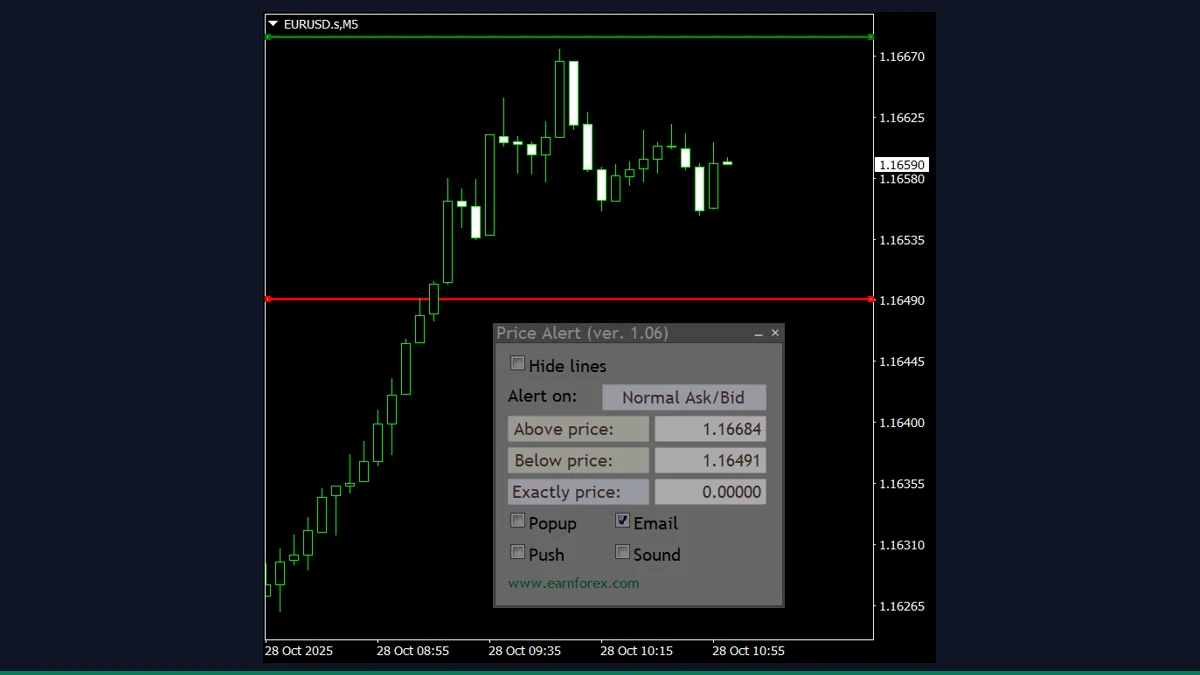
Price Alert Panel
Set price, indicator and time alerts from an on-chart panel with pop-up, email and push.
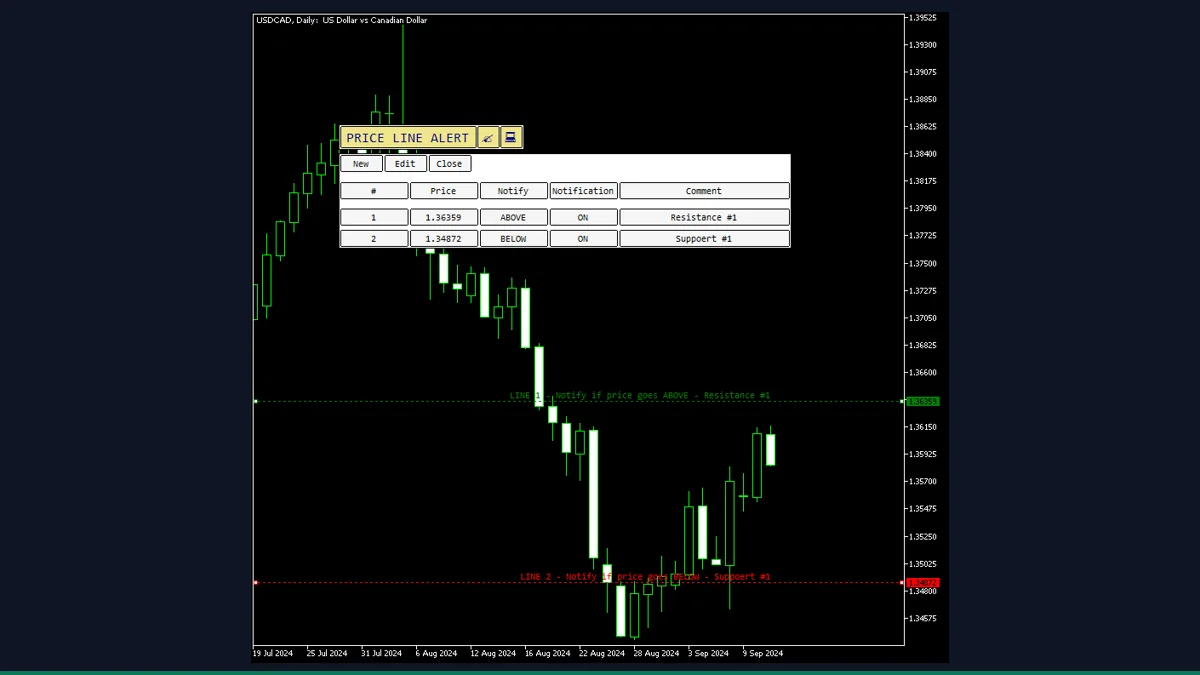
Price Line Alert
Drag a line to any price and get an alert the moment price touches it. No EA needed.