Free MT4 chart & terminal tools
Updated 2026-06-09
Small tools that make the MetaTrader 4 terminal itself quicker to work in, switch symbols and timeframes from the chart, drop a price grid, keep a crosshair in sync across windows. They will not call trades; they remove friction so you spend less time fighting the platform.
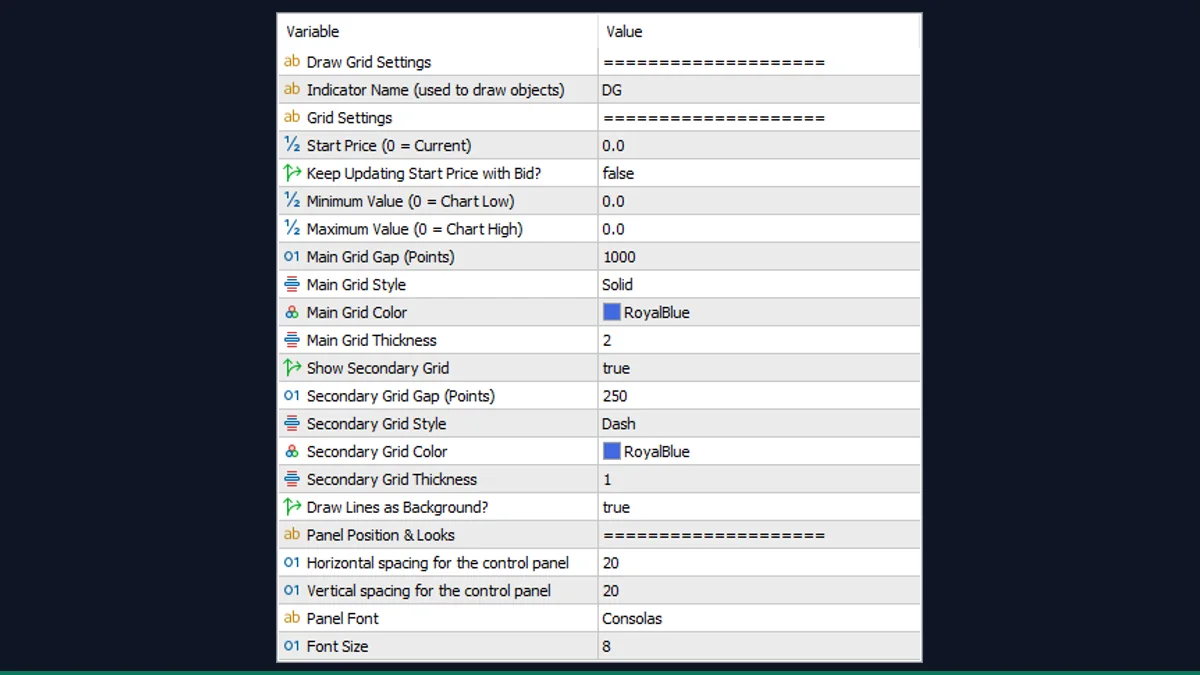
Draw Grid
Draws an evenly-spaced horizontal price grid at a pip step you choose, for scalping levels.
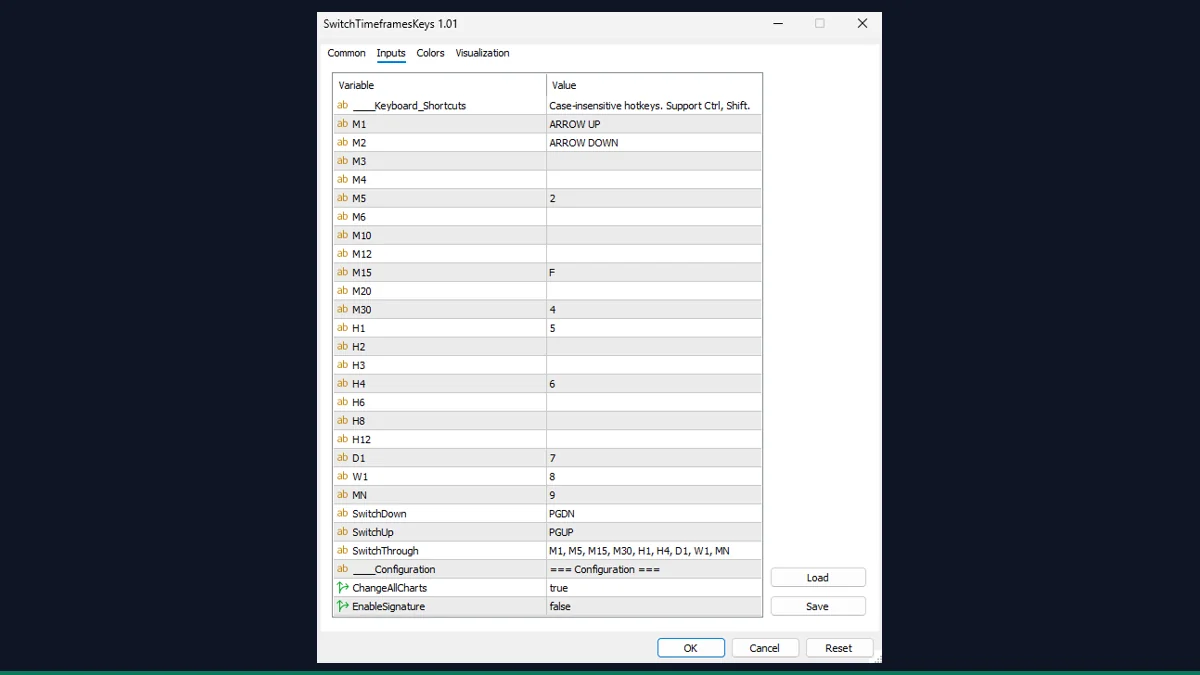
Switch Timeframes by Keys
Hotkey timeframe switching: press a number key to jump straight to M1 through MN.
Synced Crosshair
A crosshair that mirrors across every open chart so you read the same moment on all of them.
Chart & Terminal Tools: common questions
Do chart tools change my price data?
No. These tools change how the MetaTrader 4 terminal looks and behaves, not the underlying data. Switching symbols or timeframes, drawing a grid or recolouring objects affects the display only; your price history and orders are untouched.
Will they slow MetaTrader 4 down?
Not noticeably. They are lightweight display and workflow helpers, not heavy calculation engines. If you attach many tools to many charts at once you may feel a small load, but a handful on your working charts is fine on any modern PC.